
Blog
iPad Repair Process Explained: What to Expect From Diagnosis
Learn the iPad repair process from intake and diagnosis to testing and pickup, with practical Calgary guidance for choosing parts, timing, and warranty.
Learn the iPad repair process from intake and diagnosis to testing and pickup, with practical Calgary guidance for choosing parts, timing, and warranty.
Key facts
- Published: June 22, 2026
- Last updated: October 30, 2026
- Reading time: 10 min read
- Questions about your own device: Call (403) 273-8324
Last updated
iPad Repair Process Explained: What to Expect from Diagnosis
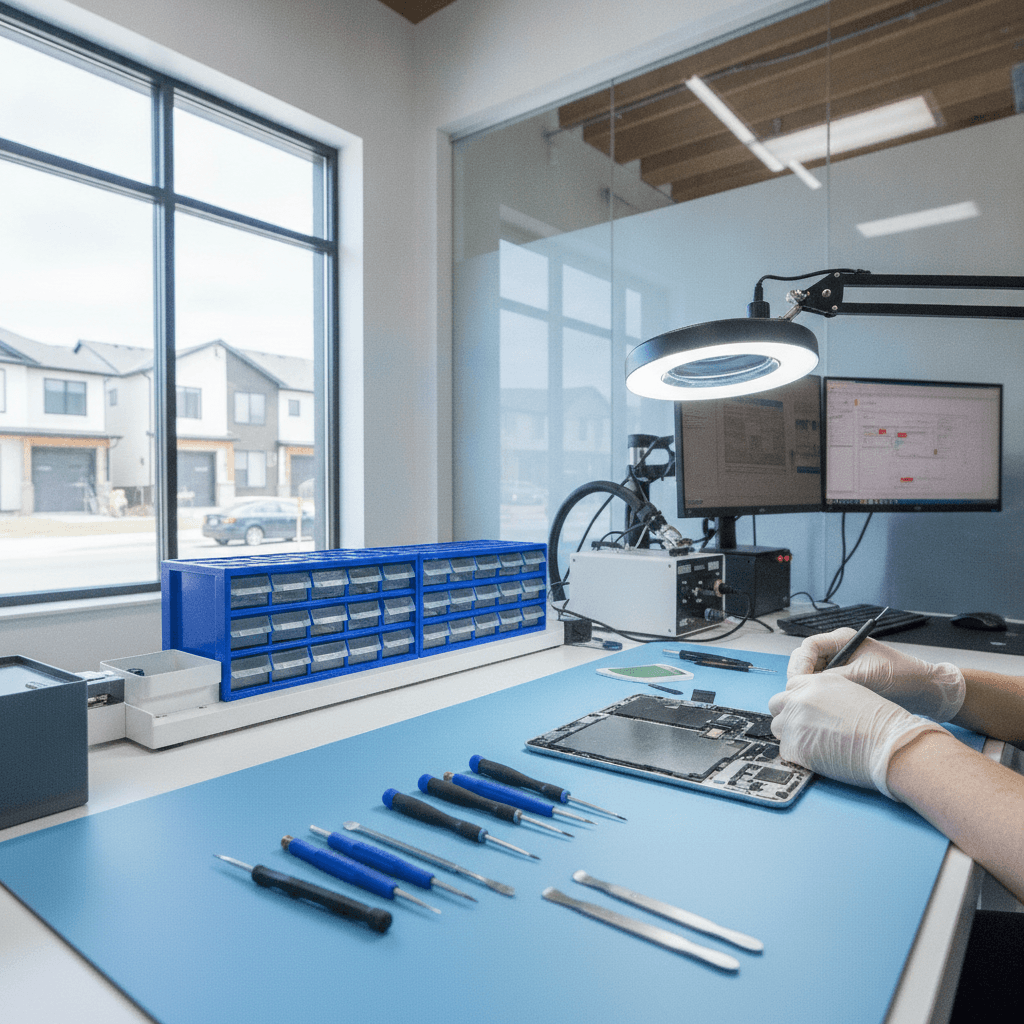
Published by Imran Mohammed at TechBrotherz, the walk-in repair Store at 3317 17 Ave SE in Calgary. June 22, 2026, updated October 30, 2026.
No article on this site is paid for or sponsored. For a quote on your own device, call (403) 273-8324.
Last updated: October 2026
Key takeaway:The iPad repair process usually includes intake, diagnosis, approval, repair, quality testing, and a final handoff. A careful shop confirms the fault before replacing parts, explains the repair plan, protects your data as far as possible, and tests the iPad before returning it. Timing and warranty terms depend on the model, damage, parts availability, and provider.
By Imran Mohammed - TechBrotherz | Refreshed for 2026
When an iPad stops charging, develops a cracked screen, or begins restarting without warning, the repair process can feel unclear. You may want to know whether the problem is worth fixing, how long the device will be unavailable, and what happens to your photos, schoolwork, or business files while it is being inspected.
This guide explains the iPad repair process in plain language, from the first conversation at the counter through post-repair testing. It is written for people looking for tablet repair in Calgary, including Southview and nearby Calgary SE communities, who want a practical way to compare repair options without assuming that every fault or model follows the same timeline.
The iPad Repair Process at a Glance
A professional repair normally follows six connected stages: intake, diagnostics, repair planning, repair work, quality assurance, and handoff. Some simple jobs move quickly, while liquid damage, board faults, unusual models, and unavailable parts can require more inspection or a different service plan.
- Intake: The technician records the reported symptoms, device model, visible condition, and accessories received.
- Diagnostics: The shop tests the suspected fault and checks related functions so the symptom is not mistaken for the root cause.
- Approval: You receive an explanation of the recommended work, important limitations, and the next decision point.
- Repair: The technician replaces, cleans, reconnects, or reworks the affected component using tools suited to the device.
- Quality assurance: The repaired iPad is tested again, including functions that could have been affected during disassembly.
- Handoff: You receive the device, a plain-language summary, and the applicable warranty or service documentation.
This sequence matters because replacing a part without confirming the cause can leave the original problem unresolved. For example, an iPad that will not charge may have a blocked port, a worn connector, a damaged cable, a battery problem, or a board-level fault. Each possibility calls for a different decision.
What Happens During Intake and Diagnosis?
Intake establishes the device’s condition before work begins. The technician may record the model, serial information where appropriate, visible cracks or dents, reported symptoms, power status, and any accessories left with the iPad. Notes and photographs help distinguish pre-existing damage from anything that occurs during service.
Diagnostics then test the reported problem and nearby systems. A screen complaint, for instance, may involve touch response, brightness, display uniformity, connectors, and frame condition. A charging complaint may require inspection of the port, cable fit, charge acceptance, battery behaviour, and signs of liquid or physical damage.
Questions to answer at intake
- What happened immediately before the fault appeared?
- Does the issue happen every time or only under certain conditions?
- Was the iPad dropped, exposed to liquid, or opened previously?
- Does it power on, charge, connect to Wi-Fi, and respond to touch?
- Are there important files that need special attention before service?
Specific details can shorten diagnosis. “It will not charge” is useful, but “it charges only when the cable is held at an angle after being dropped last week” gives the technician a more focused starting point. If the fault is intermittent, a short video or written note describing when it appears can also make the initial assessment more useful.
How Is the Repair Plan Decided?
After testing, the shop should explain what was found and what can reasonably be done. The plan may involve cleaning, replacing a component, reconnecting a flex cable, repairing a board, or declining work where the risk or cost is not appropriate. The correct choice depends on the model, parts, damage, expected outcome, and your priorities.
Do not assume that a quoted repair price or turnaround is universal. Apple’s Canadian service guidance notes that the final service fee follows inspection, and providers can have their own estimates and service terms. Independent repair shops may also price differently by model and part type, so ask for a device-specific estimate before authorizing work.
Useful questions before approving service
- What component is believed to have failed?
- Is the recommendation based on testing or only on the visible symptom?
- Is the replacement part available now?
- Could another fault be found after opening the iPad?
- What work is covered if the same issue returns?
- Will the repair require a reset, and what backup should I make first?
A clear explanation helps you compare repair with replacement. It also prevents an important misunderstanding: a shop can often repair a hardware fault without deleting personal files, but no repair process can guarantee data preservation in every situation. A current backup remains the safest protection.
What Happens During Repair and Quality Testing?
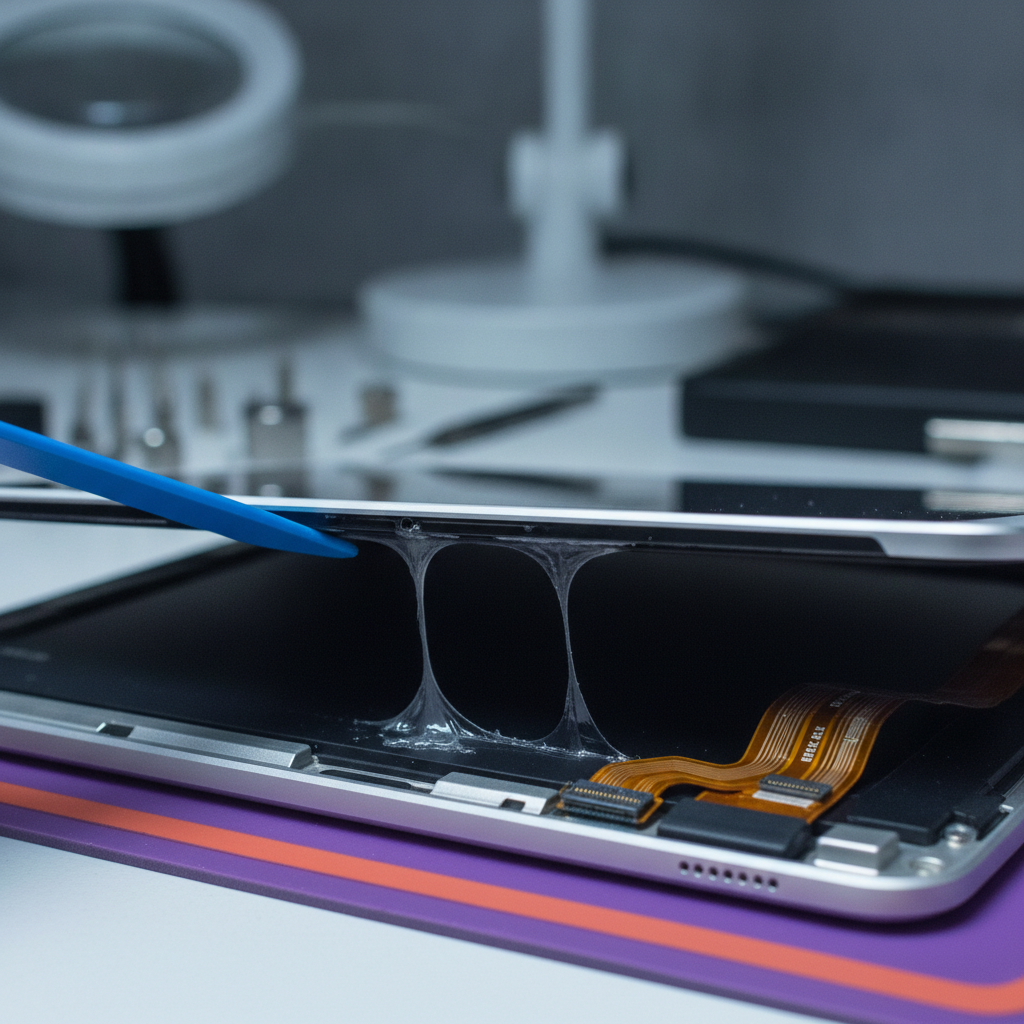
Once work is approved, the technician chooses a method appropriate to the iPad’s construction. Screen and battery work may involve controlled heat, careful adhesive separation, connector protection, and thorough cleanup before reassembly. Port, button, camera, and sensor repairs require accurate alignment because small cable or bracket errors can create new symptoms.
Board-level repairs are different from straightforward part replacement. No-power faults, liquid exposure, and intermittent failures may require magnification, corrosion assessment, component testing, and micro-soldering. These jobs may need extended observation rather than a quick counter diagnosis.
What should be tested after the repair?
Post-repair testing should reflect both the original complaint and the components handled during service. A sensible checklist can include:
- Power, boot sequence, and stable operation after restarting
- Touch response across the full display, including edges and corners
- Brightness, colour consistency, and visible display defects
- Charging connection, battery behaviour, and cable fit
- Wi-Fi and Bluetooth connectivity
- Front and rear cameras, microphones, speakers, and flash where fitted
- Volume, power, home, or other physical controls
- Orientation, sensors, and any feature related to the original complaint
Testing is not merely a final formality. It gives the technician a chance to catch a loose connector, poor alignment, touch dead zone, or charging inconsistency before pickup. If a display or adhesive repair needs curing time, the shop should explain how that affects handling immediately after collection.
Common iPad Repairs and Their Practical Differences
Cracked screen or failed touch
A screen repair can involve the glass, digitizer, display assembly, or a combination of parts. The technician should check whether the frame is bent and whether touch, image quality, cameras, and sensors still function. A damaged frame or previous repair can affect fit and long-term results, so the visible crack is not the only factor in the assessment.
Battery replacement
Rapid drain, unexpected shutdowns, or poor runtime may indicate battery wear, but software, charging, and board faults can produce similar symptoms. Safe battery work requires controlled removal and careful routing during reassembly. Ask how the shop will test charging and operation after replacement, and whether the device will be observed for abnormal heat or shutdowns.
Charging-port service
Lint and debris can prevent a cable from seating properly, while worn contacts or physical damage may require deeper work. Cleaning should be considered before replacement, but a port that is mechanically damaged may not improve with cleaning alone. Repeatedly forcing a cable into a damaged port can make the fault worse.
Camera, speaker, button, and sensor repairs
These repairs often depend on small connectors, brackets, seals, or alignment points. The final test should cover the specific feature and any related function that may have been disturbed while the iPad was opened. A camera issue, for example, should be checked for focus and image quality rather than only power-on operation.
Liquid damage and board repair
Liquid exposure is time-sensitive and unpredictable. Turning the device off and avoiding repeated charging attempts can limit additional damage, but professional inspection is still needed to assess corrosion and affected circuits. Even when an iPad powers on, delayed failures can develop after exposure, which is why a longer diagnostic period may be appropriate.
Choosing Tablet Repair in Calgary
For customers in Calgary, the most useful comparison is not simply “cheapest versus most expensive.” Consider whether the shop can identify your model, explain the diagnosis, provide a realistic parts-based timeline, and document what was tested. Walk-in service can be convenient for common faults, while uncommon models or board work may require more time.
TechBrotherz provides walk-in electronics repair at 3317 17 Ave SE in Calgary and serves Calgary, Chestermere, Airdrie, and nearby communities including Southview, Dover, Forest Lawn, Inglewood, Ogden, Erinwood, and Applewood. Same-day service may be possible for common repairs when the correct part is available, but it should be confirmed for the specific iPad before relying on that timing.
Southview customers may also want to plan for safe transport in cold weather. Keep the iPad in a padded sleeve rather than exposing it to unnecessary temperature changes, and tell the technician if the device was recently brought in from outdoors. Local convenience is valuable, but the diagnosis and parts availability still determine the actual schedule.
How to compare local repair options
| Decision factor | What to ask | Why it matters |
|---|---|---|
| Diagnosis | Will the suspected cause be tested before parts are ordered? | Symptoms such as charging failure or touch problems can have several causes. |
| Parts | Is the appropriate part available for this model and generation? | Availability and compatibility affect both timing and the repair plan. |
| Testing | Which functions will be checked before pickup? | Testing can identify a loose connection or related fault before you leave. |
| Warranty | What does the written warranty cover, and for how long? | Coverage is provider- and repair-specific, so the written terms matter. |
What to Do Before and After iPad Repair
Before you visit
- Back up the iPad to iCloud or a computer and confirm the backup completed.
- Write down the model, passcode arrangements, symptoms, and when the fault began.
- Remove the case, accessories, and personal items that are not needed for testing.
- Charge the iPad if it safely accepts a charge, but do not repeatedly force a damaged port.
- Be prepared to address Find My or device-lock requirements after ownership is verified.
At pickup
- Confirm that the original complaint has been tested and resolved.
- Check touch, display, cameras, speakers, charging, Wi-Fi, and other important features.
- Ask when adhesives, screens, or batteries can be handled normally.
- Keep the written receipt and warranty terms with your device records.
- Report a returning or new fault promptly rather than continuing to use the device without advice.
TechBrotherz backs repairs with a 60-day warranty. The exact scope, exclusions, and conditions should be confirmed in the written service documentation because warranty coverage is provider- and repair-specific.
Why Tools and Parts Affect the Result
iPads use strong adhesives, delicate flex cables, compact connectors, and model-specific internal layouts. An appropriate repair bench may include ESD protection, controlled heat, non-marring opening tools, magnification, cleaning equipment, and clamps or fixtures for reassembly. The goal is not to use more tools; it is to use the right method without transferring damage to nearby components.
Parts also affect the decision. Availability, model generation, quality, compatibility, and warranty can change both the estimate and the expected turnaround. Ask which part category is being used and whether the shop will contact you if inspection reveals additional damage. A repair estimate should therefore be treated as device-specific rather than as a universal price for every iPad.

iPad Repair Process FAQ
How long does the iPad repair process take?
Common screen, battery, or charging repairs may be completed the same day when the part is available and no additional fault is found. Diagnosis, model, adhesive or curing requirements, workload, and board damage can extend the timeline. Confirm the estimate with the shop after inspection rather than assuming every iPad repair has the same turnaround.
Will repairing an iPad delete my data?
Many hardware repairs do not require a reset, but data preservation cannot be guaranteed in every case. Back up before service and ask whether a reset, software update, or passcode access may be needed for testing. A reputable provider should explain any material risk before proceeding.
Should I repair or replace my iPad?
Compare the model’s age, condition, repair estimate, remaining battery life, software support, and importance of the device to your work or school routine. A screen, battery, or port repair may be sensible when the rest of the iPad works well. Repeated faults, severe liquid damage, or a high repair cost may make replacement worth considering.
Can every iPad model be repaired?
Most iPad, iPad mini, iPad Air, and iPad Pro generations can be assessed, but parts and repair methods vary. Model identification is important before a price or timeline can be confirmed. Older, uncommon, or heavily damaged devices may have fewer practical repair options.
Conclusion: A Good Repair Is a Process, Not Just a Part
The iPad repair process is designed to reduce guesswork: document the device, diagnose the cause, explain the plan, complete the repair carefully, test the result, and provide a clear handoff. Before visiting, make a backup and record the symptoms. At pickup, verify the features that matter most and keep the written service terms.
For Southview and Calgary customers, TechBrotherz offers walk-in tablet service and a 60-day repair warranty. For model-specific guidance and current availability, visit TechBrotherz before relying on a same-day timeline.
Related pages
Rather just ask a person?
Call (403) 273-8324 and describe the problem, or walk in to 3317 17 Ave SE in Calgary. Every repair is quoted free before any work starts.